Many Mac users may find themselves unsure about which webcam to choose. Since most Macs come with a built-in camera, there’s surprisingly little information available when it comes to buying third-party accessories. In this article, I’ll review the EMEET S600 webcam by comparing its quality with the built-in camera on a MacBook Pro. While the S600 falls into a slightly higher-end price range for webcams, the key question is—does the quality live up to the cost? Read on to find out.
Web Camera Challenges for Mac Users
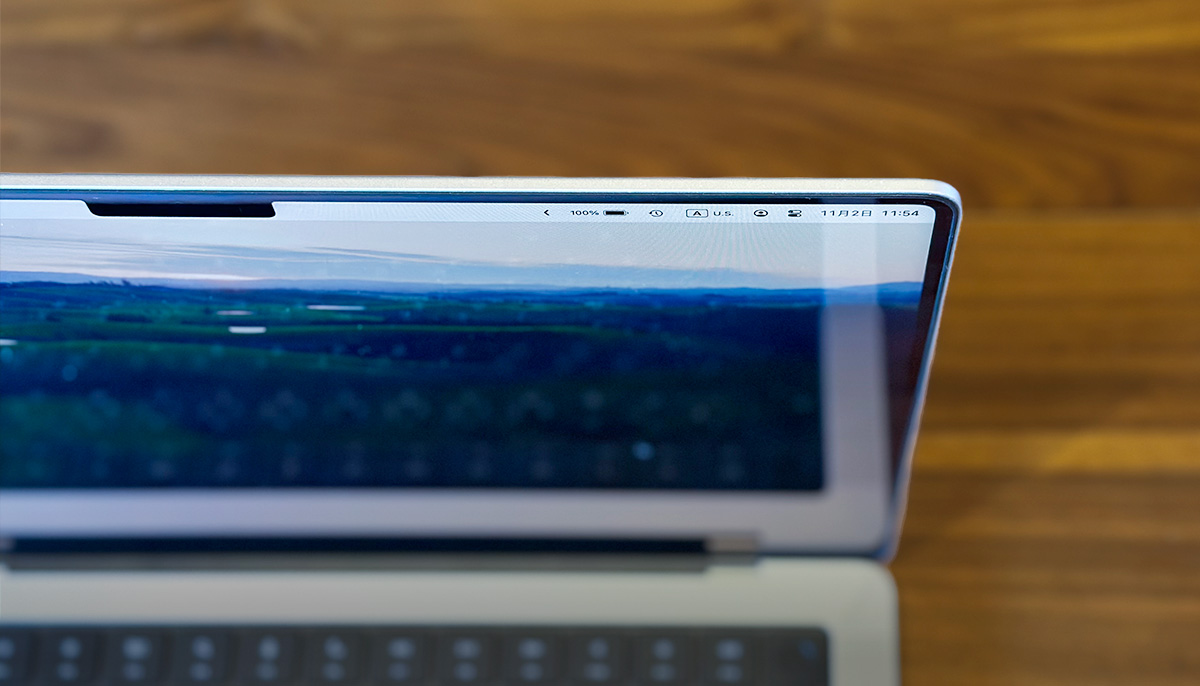
Built-in Cameras Don’t Work in Clamshell Mode
Some MacBook users connect their laptops to external displays and use them with the lid closed—a setup commonly known as “clamshell mode.” One common issue with this setup is the webcam.
When the MacBook is closed, the built-in FaceTime camera is, of course, unusable. However, most external monitors don’t come with built-in webcams, which means you’ll need to prepare a separate webcam.
I’m one of those users myself—I use my Mac connected to an external display. Since I regularly join remote meetings and conduct interviews online, I was looking for a webcam with good image and sound quality. After comparing several options, I ended up choosing the EMEET S600.

Is 1080p Not Enough?
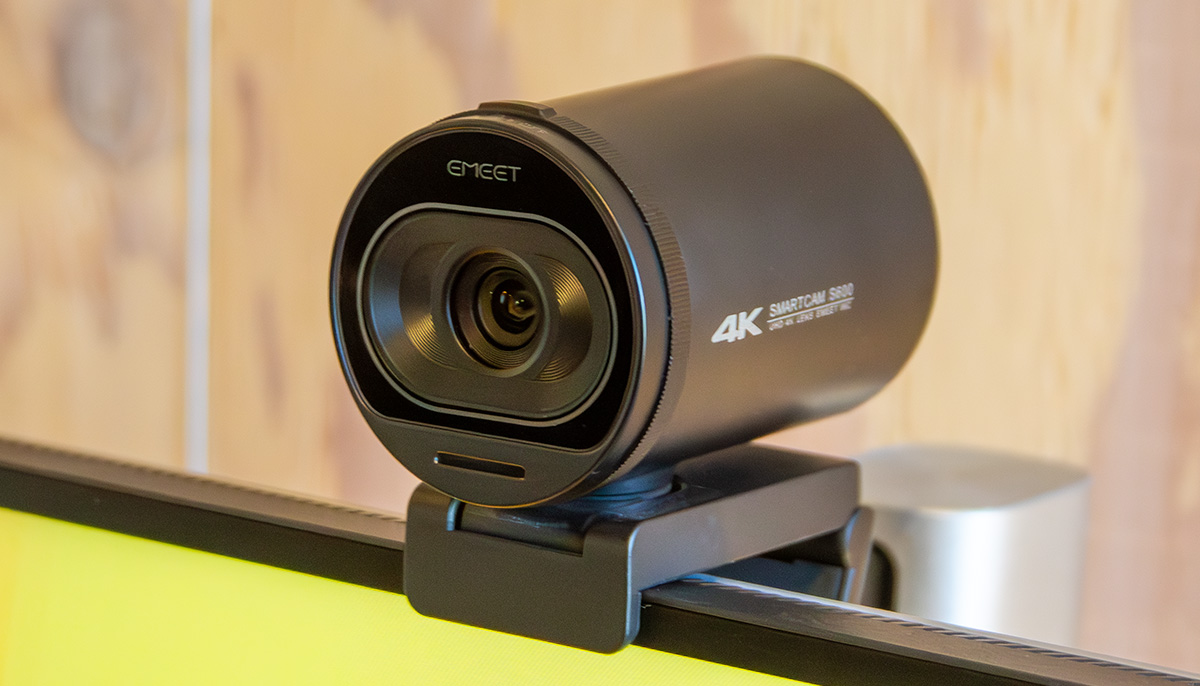
The EMEET S600 is a 4K webcam. Before purchasing this model, I actually bought a more affordable 1080p webcam—but its image quality was far from satisfactory. While my MacBook Pro’s built-in camera is also 1080p, the cheaper webcam’s image was clearly inferior, even at the same resolution.
After that experience, I decided to upgrade to a higher-quality model—and that’s how I ended up with the EMEET S600.
Note: I haven’t tested every 1080p webcam out there, so it’s possible that some offer excellent image quality. Please take this as a personal account rather than a universal judgment.
EMEET S600: Specs and Price
Key Specifications
Before diving into a hands-on comparison, here’s a quick look at the EMEET S600’s catalog specifications:
- Maximum Resolution: 4K UHD (3,840 × 2,160 pixels)
- Maximum Frame Rate: 60 FPS (at 1080p)
- Image Sensor: 8 megapixels
- Field of View (FoV): 88°
- Microphones: Two omnidirectional mics
- Dimensions (W × H × D): 52mm × 71.5mm × 71mm
- Supported OS: Windows 7, 8, 10, 11 or later; macOS 10.10 or later
For more detailed specs, please refer to the manufacturer’s website.
Price and Availability
As of this writing, the EMEET S600 is priced at ¥8,999(JPY). While that puts it in a slightly higher-end category for webcams, most budget models in the ¥2,000 to ¥4,000 range only offer 1080p resolution. For a 4K webcam, the S600 is relatively affordable.
The EMEET S600 is available not only through the official website but also from various online retailers.
Quality Comparison: Built‑in Mac Camera vs EMEET S600
Image Quality
Now, let’s take a look at the actual image quality comparison. The first image was taken with the built-in camera of a 14-inch MacBook Pro (2021), and the second one with the EMEET S600. Both images were extracted from video footage recorded using the QuickTime Player app.
The shooting position and timing were nearly identical for both cameras. The room was slightly dim, and lighting was directed from the front during the shoot.


After comparing it with other products, I realized again how well-balanced the MacBook’s built-in camera really is. The white balance and tonal range feel quite natural, and the level of detail is reasonably good.
In contrast, the EMEET S600 tends to produce slightly higher contrast. The darker the room, the more noticeable this becomes—likely a result of its auto exposure behavior. That said, thanks to its 8-megapixel sensor, the level of detail is impressive and highly refined.
Another point worth noting is the S600’s wide field of view. While such a wide angle might not be necessary for one-on-one meetings, it can be very effective in group settings where multiple people need to be on screen at once.
Personally, I found the image quality to be more than satisfactory. However, since tonal transitions can look unnatural in low light, it’s best to use the camera in a well-lit environment.
One more thing I noticed was the autofocus performance. The S600 uses autofocus to adjust sharpness, but occasionally it takes a moment to lock in focus. While this isn’t much of an issue in everyday use, if it happens mid-meeting, the image may blur briefly—though usually no longer than about two seconds.
Audio Quality
Next, I’ll report on the audio quality. As with the video, the sound was evaluated using recordings made in the QuickTime Player app.
Starting with the MacBook’s built-in microphone: I noticed that the overall recording volume was quite low. The voice sounded slightly muffled, and there was a faint low-frequency hum—something like a soft “booo” noise—underlying the audio.
In contrast, the EMEET S600 delivered ample volume and noticeably clearer sound. However, there was a faint high-pitched hissing noise—like a soft “sss” sound—that stood out a bit.
These types of noise might be filtered out by conferencing apps, and even as-is, the audio quality is probably sufficient for practical use. That said, if you’re aiming for the best possible result, using a dedicated microphone might be a better option.
Personally, for interviews or recordings I plan to transcribe later, I use a clip-on mic just to be safe.
Additional Features Beyond Image and Sound
Adjustable Angles
The EMEET S600 allows you to tilt and swivel the camera both horizontally and vertically. While there’s rarely a need to pan the camera side to side during video calls, it’s great to be able to make subtle vertical adjustments to match your eye level. With the MacBook Pro’s built-in camera, you’d have to reposition the entire display to change the angle, so in that sense, the EMEET S600 offers much more flexibility.

Equipped with a Tripod Mount
The bottom of the device features a standard tripod screw mount. While you probably won’t need this for typical video calls, it could be very handy for recording or streaming video content. Since the camera supports 4K resolution, it might serve surprisingly well as a video recording device too—though I don’t do livestreaming myself, so that’s just speculation.

Comes with a Built-in Lens Cover
The EMEET S600 features a built-in flip-style lens cover. If you ever worry about unauthorized apps accessing your camera, simply closing the physical cover gives you peace of mind. Unlike detachable caps that can be misplaced, this integrated design eliminates the risk of losing the cover.

Clean, Minimalist Design
For me, product design is an important factor—and in that regard, this webcam does a great job. Its cylindrical shape gives it a clean and simple look. While many webcams from other brands have logos that stand out awkwardly, the branding on this one is subtle and tasteful, which I really appreciate.

Is It Mac-Compatible?
Works Fine with the Latest macOS
I’m using it on macOS Ventura, and it’s recognized without any issues. You can use it right out of the box without installing any drivers, but I recommend downloading and installing EMEET’s utility app called EMEET Link.
When I first got the camera, I often noticed the image appeared too dark. However, updating the firmware via EMEET Link resolved the issue. It’s a good idea to make sure the firmware is up to date before using the camera.
Note: If you have other video conferencing apps running, the firmware update may fail. If that happens, try closing those apps and running the update again.
Compatibility with Video Conferencing Apps
In my own testing, the EMEET S600 worked smoothly with FaceTime video calls, Zoom, Microsoft Teams, and Facebook Messenger. So far, I haven’t encountered any apps that failed to recognize the camera.
Summary
Pros and Cons of the EMEET S600
Pros
- Ultra-high resolution up to 4K
- Clear audio quality
- Adjustable camera angles
- Tripod mountable
- Built-in lens cover
- Simple, minimalist design
Cons
- High contrast in low-light environments
- Occasional autofocus delays
- Slight high-frequency noise in audio
While there are a few minor drawbacks, I’d say the EMEET S600 is more than practical overall. Considering its price—around ¥8,000(JPY)—it offers excellent value for the money.
How the EMEET S600 Changed My Mac Setup
Before getting this webcam, I had to open my MacBook Pro every time I joined a video call—even though I usually use it with an external display. Since switching to the EMEET S600, I can now attend meetings seamlessly without opening the MacBook at all.
If you use your Mac with an external monitor like I do, I highly recommend giving this camera a try. I hope this review is also helpful for Windows users considering a new webcam.